Introduction
A vehicle rental business needs good planning every day. Owners must handle customer requests, vehicle records, payments, and returns. Even a small fleet can create many tasks.
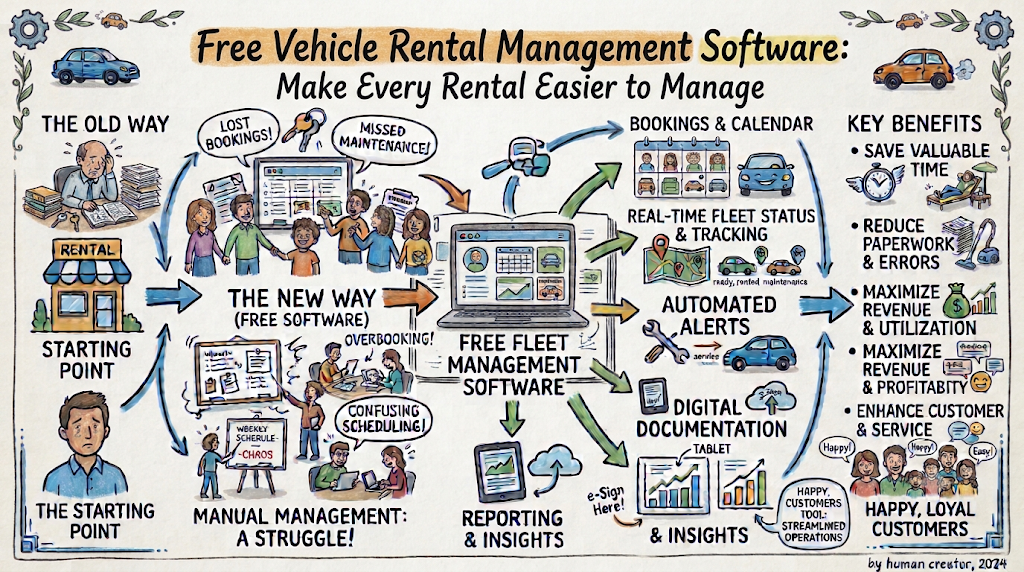
Manual records often become difficult to manage. A missed booking update can cause delays. An overlooked service date can also affect vehicle readiness.
Free vehicle rental management software gives small businesses a way to organize these tasks. It can bring important rental information into one system. The right choice depends on your fleet, budget, and daily needs.
The Daily Challenges of Managing a Rental Fleet
Rental work involves many small decisions. Owners must know which vehicles are ready and which customers have confirmed bookings. They also need clear payment and return records.
Without an organized process, common problems can include:
- Conflicting booking dates.
- Missing customer information.
- Unclear deposit records.
- Late vehicle inspections.
- Forgotten service appointments.
- Delayed payment updates.
- Difficulty checking rental income.
A digital system can make these tasks easier to follow. It also helps staff find information without checking several files.
Features That Make Rental Software Useful
Not every rental platform offers the same tools. Some focus on bookings, while others provide wider business management features.
Before choosing a platform, check for these functions:
Vehicle management: Store details about each car, motorcycle, bike, or scooter.
Booking calendar: Review reservations and available rental dates.
Customer management: Keep contact details and rental history together.
Payment records: Track advances, deposits, balances, and refunds.
Maintenance tracking: Record inspections, repairs, and service dates.
Business reports: Review bookings, income, cancellations, and fleet use.
Staff access: Give team members access to the tasks they handle.
Start with the features your business uses most. You can consider advanced tools when your operations grow.
Create a Reliable Booking Process
A clear booking process helps prevent confusion. It also gives customers better information before they collect a vehicle.
Use a simple workflow for each reservation:
- Receive the booking request.
- Check the vehicle and rental dates.
- Confirm availability.
- Share the rental price and conditions.
- Record customer information.
- Confirm the booking.
- Update the calendar.
- Track collection and return details.
A vehicle rental booking system should make these steps easy to manage. Check whether the software supports booking changes and cancellations.
Keep the calendar updated after every confirmed reservation. This helps prevent two customers from receiving the same vehicle for overlapping dates.
Manage Different Types of Rental Vehicles
A rental business may offer one vehicle type or several. Each category has different management needs.
| Vehicle category | Important management needs |
|---|---|
| Cars | Booking schedules, mileage, documents, and return inspections |
| Motorcycles | Rider details, condition checks, service history, and safety equipment |
| Bikes | Short rental periods, availability, and return records |
| Scooters | Frequent bookings, battery or fuel checks, and maintenance |
Free car rental software may suit small car rental operators. Motorcycle rental software should also support vehicle condition and maintenance records.
Bike rental software often needs quick booking updates. Scooter rental software may need simple tools for frequent short-term rentals.
Choose a platform that supports your actual fleet. Do not assume every system handles all vehicle types.
Keep Customer Records Organized
Good customer records help rental businesses manage repeat bookings. They also make it easier to review previous rental activity.
Store useful details such as:
- Customer name and contact information.
- Booking dates and vehicle details.
- Rental agreement information.
- Payment status.
- Collection and return notes.
- Relevant customer communication.
Avoid collecting unnecessary personal details. Give staff access only to the information they need.
European rental businesses should also consider GDPR requirements. Review how the software stores, protects, and handles personal information. Seek legal advice when you need help understanding specific obligations.
Make Payments Easier to Follow
Payment confusion can affect customer relationships. A clear record helps owners understand the status of every booking.
Track each payment against its reservation. Include deposits, remaining balances, refunds, and extra charges.
A useful payment record may cover:
- Initial booking payment.
- Security deposit.
- Final rental balance.
- Additional rental days.
- Agreed extra services.
- Late return charges.
- Refund status.
Some free platforms only record payments. Others may offer payment processing through connected services. Check the available functions and any extra fees.
Always explain charges before confirming the rental. Keep a record of the customer’s agreement.
Compare Free Software Before You Commit
Free plans can reduce early business costs. However, they may include limits on vehicles, bookings, staff accounts, or reports.
Compare the main differences before selecting a platform.
| Comparison point | What to check |
|---|---|
| Fleet capacity | Number of vehicles allowed |
| Booking volume | Monthly reservation limits |
| Customer records | Available storage and history |
| Staff accounts | Number of users included |
| Reports | Available business summaries |
| Support | Help options and response times |
| Data export | Ability to download records |
| Extra charges | Fees for payments or added features |
Some providers offer free plans with optional upgrades. Others provide limited trials instead. Read the pricing terms carefully.
A free plan works well when it covers your essential tasks. A paid plan may become useful when your fleet or booking volume increases.
Plan Vehicle Maintenance in Advance
A vehicle should remain ready before every rental. Regular checks help owners identify problems early.
Create a maintenance record for every vehicle. Include the date, work completed, and next inspection.
Important checks may include:
- Tyres and brakes.
- Lights and indicators.
- Engine and fluid levels.
- Battery condition.
- Vehicle documents.
- General cleanliness.
- Visible damage.
- Safety equipment.
Motorcycle and scooter operators should pay close attention to helmets and other protective equipment. Record their condition before each rental.
Maintenance reminders can help owners plan service appointments. However, software reminders work only when staff enter accurate dates.
Understand Rental Demand and Pricing in Europe
Rental demand changes across European locations. Tourist seasons, local events, and weather can affect customer interest.
Motorcycle rental Europe also varies by destination. Popular travel areas may attract more seasonal demand. Smaller locations may have different customer patterns.
Before setting rental prices, review:
- Vehicle type and model.
- Local competitor prices.
- Rental duration.
- Insurance costs.
- Maintenance expenses.
- Seasonal demand.
- Collection and delivery arrangements.
- Optional equipment or services.
Motorcycle rental cost Europe does not follow one fixed rate. Prices depend on the vehicle and rental conditions.
Keep your pricing clear. Explain deposits, insurance conditions, and additional charges before customers book.
Use Business Reports to Make Better Decisions
Reports help owners understand how their rental business performs. They can show which vehicles generate income and which need attention.
Useful reports may cover:
- Monthly rental revenue.
- Bookings by vehicle.
- Vehicle utilization.
- Cancelled reservations.
- Outstanding balances.
- Maintenance expenses.
- Repeat customers.
Review these figures regularly. For example, low booking numbers may suggest a pricing or marketing issue. High maintenance costs may indicate a need to review a vehicle.
Use reports to make practical decisions. Avoid tracking numbers that do not help your business.
Explore Online Rental Marketplaces
Rental software and online marketplaces serve different purposes. Management software helps owners organize operations. A marketplace helps customers discover available vehicles.
Some owners want to rent out my motorcycle when they do not use it. Others want to list my car for rent and reach more potential customers.
Peer to peer motorcycle rental Europe gives vehicle owners another way to connect with riders. However, owners should review insurance, local rules, safety requirements, and platform conditions before listing.
MotoShare Europe offers an online marketplace for vehicle rental discovery across Europe. Visit motosharego.eu to explore its marketplace. Check each listing and its terms before making a rental arrangement.
Protect Your Business Information
Rental systems may store customer details and business records. Protecting this information should remain a regular task.
Follow these basic practices:
- Create strong account passwords.
- Enable two-step verification when available.
- Limit staff permissions.
- Review account access regularly.
- Keep backup copies of important records.
- Check the provider’s security information.
- Export records when needed.
- Remove access for former staff.
Also, check how the provider handles data storage and deletion. Do not store sensitive information without a clear business need.
Test the Software With Real Tasks
A feature list cannot show how easy a platform feels. Test the system before moving your complete business records.
Try these practical tasks:
- Add a sample vehicle.
- Create a customer record.
- Enter a test booking.
- Change a reservation date.
- Record a payment.
- Add a maintenance note.
- Generate a basic report.
- Export available records.
Ask staff to test the same process. Their feedback can reveal confusing steps.
Check mobile access if your team works away from the office. A simple interface can save time during vehicle collection and return.
Mistakes That Can Create More Work
The wrong platform can add complexity instead of reducing it. Avoid these common selection mistakes:
- Choosing a platform only because it is free.
- Ignoring vehicle and booking limits.
- Failing to check data export options.
- Overlooking staff access controls.
- Using separate records for every task.
- Forgetting to update vehicle availability.
- Ignoring maintenance reminders.
- Skipping software tests.
- Buying features without checking their value.
Choose software that fits your current process. Keep your records organized from the beginning.
Frequently Asked Questions
What does free vehicle rental management software do?
It helps rental businesses organize vehicles, bookings, customers, payments, and other daily tasks. Available features depend on the provider’s free plan.
Is free software suitable for a new rental business?
Yes. It can support a small operation when the free plan includes essential features. Check its limits before adding your full fleet.
Can I manage multiple vehicle types?
Some platforms support cars, motorcycles, bikes, and scooters. Others focus on one category. Confirm vehicle support before choosing.
How does a booking calendar help rental owners?
It shows reservation dates and vehicle availability. Staff can use it to review bookings and reduce scheduling conflicts.
What should motorcycle rental software include?
Look for booking management, customer records, maintenance tracking, payment records, and vehicle condition notes. Safety checks and rental agreements also matter.
Is free car rental software different from bike rental software?
The main purpose may be similar, but the features can differ. Car rental tools may focus on longer bookings and vehicle documents. Bike rental tools may support shorter rental periods.
What affects motorcycle rental cost Europe?
Location, model, season, rental duration, insurance, and demand all influence the price. Optional equipment and delivery may add costs.
Can I rent out my motorcycle through a marketplace?
Some online marketplaces connect owners with potential renters. Review insurance terms, vehicle requirements, and local rules before listing.
When should a rental business upgrade its software?
Upgrade when the free plan no longer supports your fleet or booking volume. Compare the extra cost with the time and value the new features provide.
How can rental businesses protect customer information?
Use strong passwords, limited staff access, secure backups, and clear data policies. Follow relevant privacy rules and collect only necessary information.
Final Thoughts
Good rental management starts with accurate information. Owners need clear booking records, updated vehicle details, and reliable payment tracking.
Free vehicle rental management software can help small businesses build these habits. Compare available plans and test the main features before making a choice.
Start with a system that solves today’s problems. Keep reviewing your needs as bookings increase. A practical setup can help your rental business run with fewer mistakes and less daily stress.